PROMOTION LETTER

Date: [Date]

Dear [First name],

We are delighted to inform you that you have been promoted from [Current designation] to [New designation], with effect from [Date].

This promotion recognises your consistent performance and the example you set for the team. Your revised compensation and responsibilities are set out in the annexure.

Congratulations!

Warm regards,
[Name], [Title]
Employment letters
Promotion Letter Format & Templates
A promotion letter confirms an employee's new designation and the date it takes effect, usually with revised pay and responsibilities. Issue them one by one or for the whole appraisal cycle from a spreadsheet; employees can show a verifiable copy to future employers and banks.
Updated · 3 designs · 3 sample formats, free in Word
Promotion Letter generator
Type your details and see your promotion letter change as you go. Free, no sign-up needed to try.
Free account. Your first one is free, as a PDF with a QR code anyone can scan to verify it. What you typed comes with you in this browser.
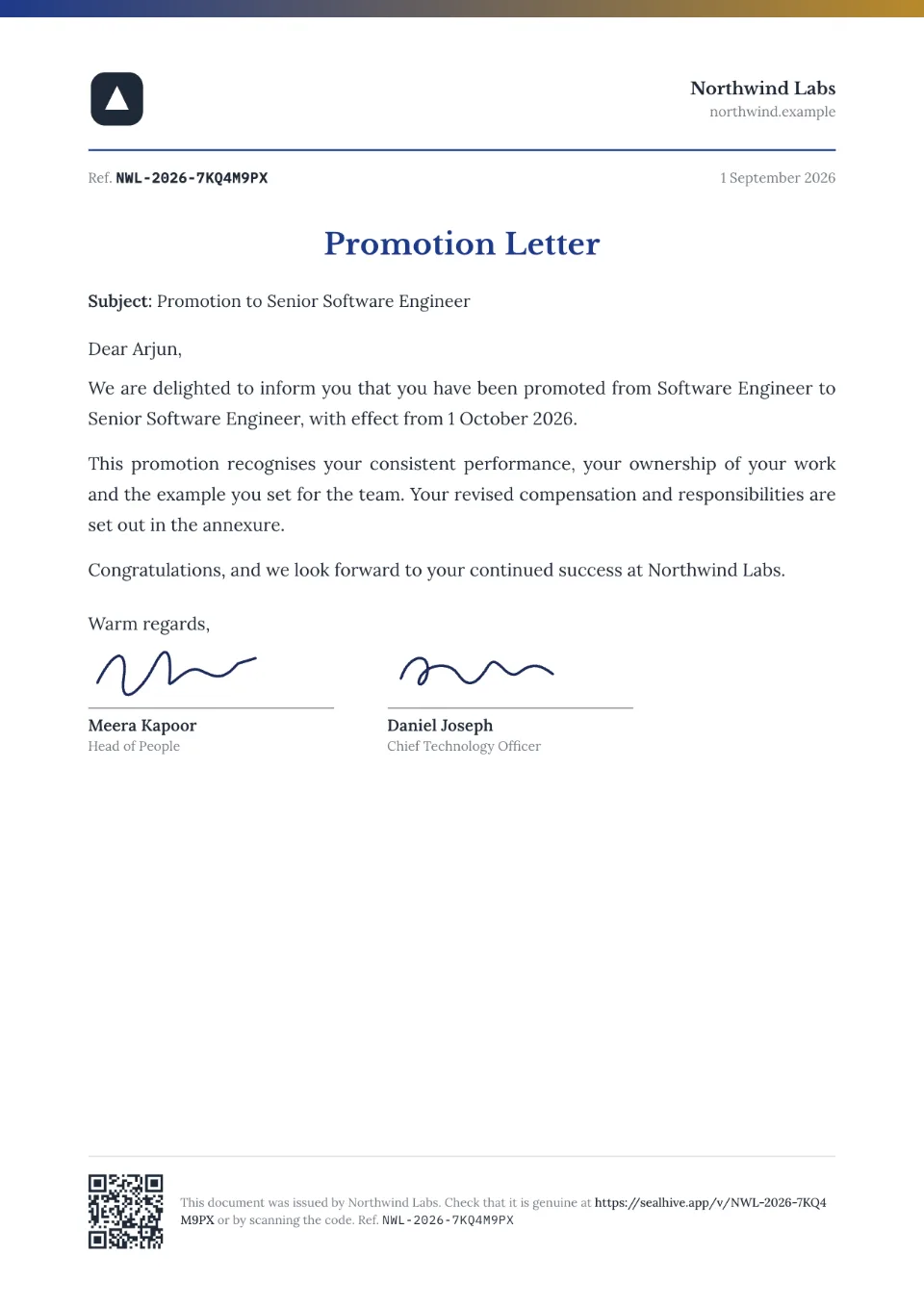
Sample promotion letter in the Letterhead design.
3 promotion letter designs
Every design takes your logo, colors and signatures.
What to include in a promotion letter
- Letterhead and date
- Employee's name and current designation
- New designation and effective date
- Revised compensation (or an annexure)
- New responsibilities or reporting line
- Congratulations and a signature
How to make a promotion letter
- 1
Fill in the details
Type the name and details above, or, on paid plans, upload a spreadsheet to make a letter for everyone at once.
- 2
Choose a design and your brand
Add your logo, colors and signatures once in your brand kit; every design uses them.
- 3
Issue and share
Download the PDF, or on paid plans email it to the recipient. Each letter gets a QR code and a page where anyone can check it's genuine.
Promotion Letter format: 3 samples
Sample wording to adapt, free to copy or download in Word. In SealHive, names, roles and dates fill in for you.
With new salary
LETTER OF PROMOTION

Dear [First name],

In recognition of your performance in [period], you have been promoted to [New designation] in the [Department] department from [Date]. Your annual CTC will be revised to [Amount].

You will now report to [Manager's name] and lead [team or area].

[Name], [HR Manager]
To team lead
PROMOTION LETTER

Dear [First name],

Congratulations on your promotion to [Team Lead role], effective [Date]. From this date, you will lead a team of [number] and be responsible for [responsibilities].

We are confident you will continue to excel in your new role.

[Name], [Title]
Letter of intent vs offer letter vs appointment letter and more
| Letter | What it does | When it's issued |
|---|---|---|
| Letter of intent | Says the candidate is selected, before the formal offer | Right after selection, often in campus hiring |
| Offer letter | Proposes the job: role, joining date, salary | After selection, before joining |
| Appointment letter | Formally appoints the employee with full terms | After the offer is accepted, on or before joining |
| Confirmation letter | Confirms the job after probation | When probation ends |
| Promotion letter | Moves the employee to a new designation | After a review cycle |
| Increment letter | Revises the salary | After an appraisal, usually yearly |
Your brand on every design
Logo, colors, fonts and signatures, set once in your brand kit.
A QR code on every copy
Scanning it opens a verification page with who issued it, to whom and when.
How it works: A QR code on every copyHard to fake
Its verification page shows the issued details, so an edited copy won't match. You can revoke it anytime.
How it works: Hard to fakePromotion Letter questions
How do I issue promotion letters for many employees?
On paid plans and credit packs, upload a spreadsheet with names, current designation, new designation and effective date. SealHive fills them into the letter for each person.
Can anyone who scans it see the salary?
No. Scanning the QR code shows a summary: that the letter is genuine, who issued it, who it's for, the role and the dates. The letter itself and any pay stay on the recipient's private link. If you'd rather show the whole letter, you can switch that on for any letter from its page in your dashboard.
Can I download the format in Word?
Yes. Every sample on this page has a free Word (.docx) download, no account needed. To give it a QR code and a verification page, create it in SealHive instead.
How does someone check that it's genuine?
Every document issued with SealHive carries a QR code and a short link. Scanning it opens its verification page, on SealHive or the issuer's own domain, showing who issued it and when, whether it's still valid and, unless the recipient asked to hide it, their name. An edited copy won't match the details on that page.
Related templates
Make your first promotion letter in a minute
Free to try. Your first one is on us, and it comes with a QR code anyone can verify.
Create a promotion letter