SALARY CERTIFICATE

Date: [Date]
Ref.: [Number]

To whom it may concern,

This is to certify that [Name] has been working with [Organization] as [Designation] since [Date of joining].

[His/Her/Their] current salary is [Amount] per month (gross). The salary breakup is attached as an annexure.

This certificate is issued at [his/her/their] request, without any liability on the part of [Organization].

For [Organization],
[Name], [HR Manager]
Proof & verification letters
Salary Certificate Format & Templates
A salary certificate confirms that someone works for you and what they earn. Employees ask for it for home and car loans, credit cards, visa applications and rental agreements, and the bank or embassy reading it wants to know it's genuine. A QR code on every salary certificate lets them check it with you in seconds.
Updated · 3 designs · 4 sample formats, free in Word
Salary Certificate generator
Type your details and see your salary certificate change as you go. Free, no sign-up needed to try.
Free account. Your first one is free, as a PDF with a QR code anyone can scan to verify it. What you typed comes with you in this browser.
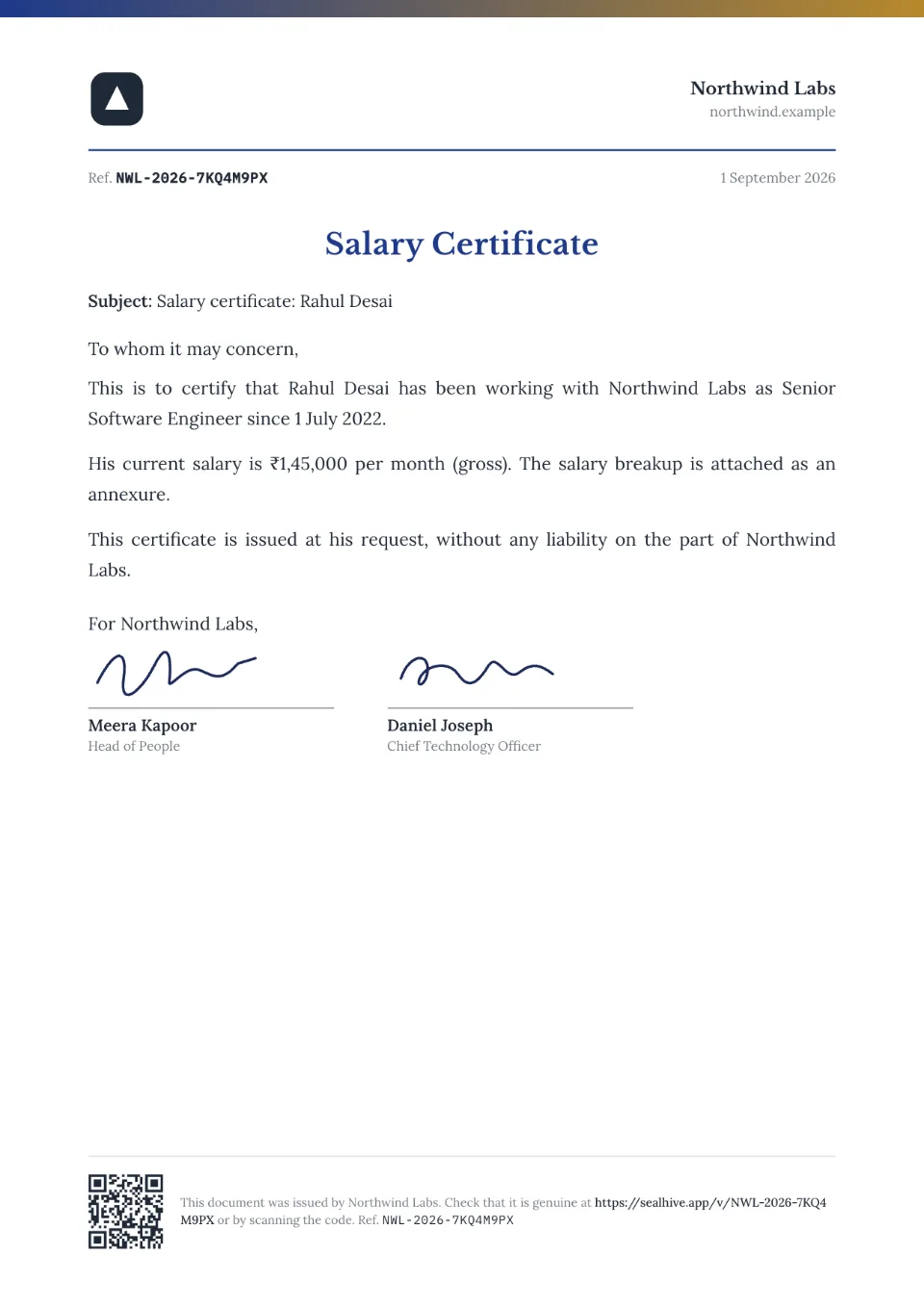
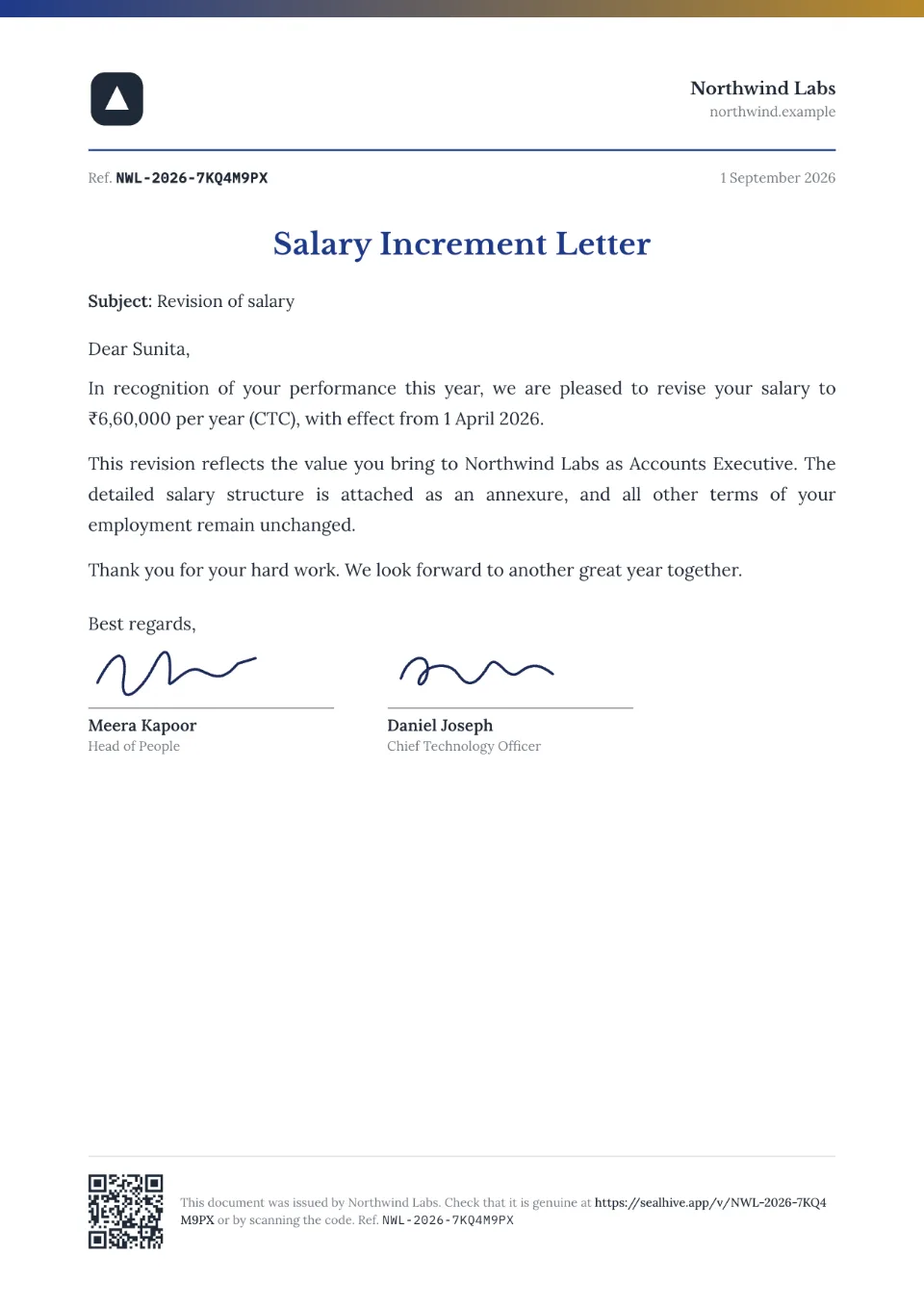
Sample salary certificate in the Letterhead design.
3 salary certificate designs
Every design takes your logo, colors and signatures.
What to include in a salary certificate
- Company letterhead, date and reference number
- Employee's name, designation and employee ID
- Date of joining
- Salary: gross, net or CTC, monthly or yearly
- A salary breakup (often as an annexure)
- Purpose, if the employee asks (loan, visa)
- Authorised signature and company seal
How to make a salary certificate
- 1
Fill in the details
Type the name and details above, or, on paid plans, upload a spreadsheet to make a letter for everyone at once.
- 2
Choose a design and your brand
Add your logo, colors and signatures once in your brand kit; every design uses them.
- 3
Issue and share
Download the PDF, or on paid plans email it to the recipient. Each letter gets a QR code and a page where anyone can check it's genuine.
Salary Certificate format: 4 samples
Sample wording to adapt, free to copy or download in Word. In SealHive, names, roles and dates fill in for you.
For a bank loan
SALARY CERTIFICATE

To
The Branch Manager
[Bank], [Branch]

This is to certify that [Name], Employee ID [ID], is a permanent employee of [Organization] working as [Designation] since [Date of joining].

Monthly gross salary: [Amount]
Monthly net salary: [Amount]

This certificate is issued at the request of the employee for applying for a [home/personal/car] loan.

[Name], [HR Manager]
For a visa application
SALARY CERTIFICATE

To the Consular Officer, [Embassy or consulate]

This is to certify that [Name], holder of passport no. [Number], is employed with [Organization] as [Designation] since [Date of joining], and draws an annual salary of [Amount] (CTC).

[He/She/They] [has/have] been granted leave from [Start date] to [End date] for [purpose, e.g. tourism] and will resume duties on [Date].

[Name], [HR Manager]
With salary breakup
SALARY CERTIFICATE

This is to certify that [Name], [Designation], is employed with [Organization] since [Date of joining]. [His/Her/Their] salary for [Month Year] is as follows:

Basic: [Amount]
HRA: [Amount]
Special allowance: [Amount]
Gross salary: [Amount]
Deductions (PF, professional tax, TDS): [Amount]
Net salary: [Amount]

[Name], [Finance Manager]
Experience letter vs relieving letter vs salary certificate and more
| Document | What it confirms | When it's issued | Who asks for it |
|---|---|---|---|
| Experience letter | Role, tenure and conduct | When someone leaves | New employers, visa offices |
| Experience certificate | The same as an experience letter, in a more formal style | When someone leaves | Schools, colleges, government bodies |
| Relieving letter | The resignation was accepted and duties handed over | On the last working day | New employers before joining |
| No dues certificate | Nothing is owed and company property was returned | After the exit clearance | New employers, background checks |
| Full and final settlement letter | The last dues were paid and the account is closed | When the settlement is paid | The employee, banks, new employers |
| Salary certificate | Current employment and salary | Any time, on request | Banks, embassies, landlords |
| Employment verification letter | Current employment, role and start date | Any time, on request | Banks, embassies, landlords, background checks |
| NOC letter | The employer has no objection to a specific plan | Any time, on request | Universities, embassies, other employers |
Your brand on every design
Logo, colors, fonts and signatures, set once in your brand kit.
A QR code on every copy
Scanning it opens a verification page with who issued it, to whom and when.
How it works: A QR code on every copyHard to fake
Its verification page shows the issued details, so an edited copy won't match. You can revoke it anytime.
How it works: Hard to fakeSalary Certificate questions
Is a salary certificate the same as a payslip or Form 16?
No. A payslip shows one month's pay, and Form 16 is the official TDS certificate from the income tax portal. A salary certificate is a letter from the employer confirming employment and salary, usually for a bank or embassy.
How do I add the salary to the letter?
When you issue it, type the salary in the Salary field (for example "₹65,000 per month (gross)"), and the letter fills it in. In bulk (paid plans and packs), add a Salary column to your spreadsheet.
Can anyone who scans it see the salary?
No. Scanning the QR code shows a summary: that the letter is genuine, who issued it, who it's for, the role and the dates. The letter itself and any pay stay on the recipient's private link. If you'd rather show the whole letter, you can switch that on for any letter from its page in your dashboard.
Can I download the format in Word?
Yes. Every sample on this page has a free Word (.docx) download, no account needed. To give it a QR code and a verification page, create it in SealHive instead.
How does someone check that it's genuine?
Every document issued with SealHive carries a QR code and a short link. Scanning it opens its verification page, on SealHive or the issuer's own domain, showing who issued it and when, whether it's still valid and, unless the recipient asked to hide it, their name. An edited copy won't match the details on that page.
Related templates
Make your first salary certificate in a minute
Free to try. Your first one is on us, and it comes with a QR code anyone can verify.
Create a salary certificate